TrueMain for desktop
Beta Champion select,
read for you.
The TrueMain app sits next to the League client: it ranks the picks from your own pool, works out the enemy lanes, and hands you the build against the draft as it stands.
Version 0.4.0 · 3 October 2026
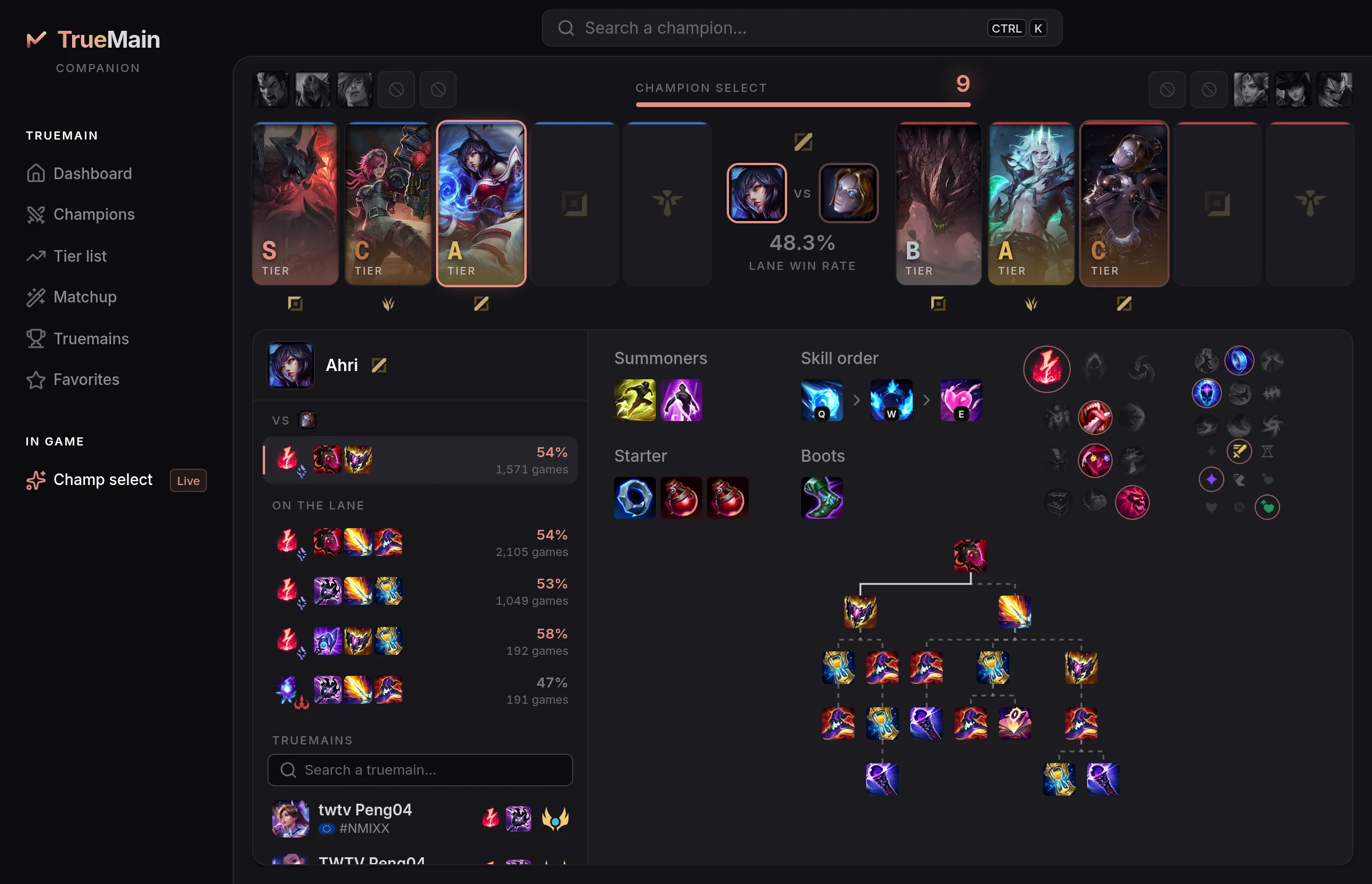
Picks from your own pool
Your most-mastered champions on your lane, ranked as the draft fills: the matchup into your lane opponent and the synergy with the allies already locked.
The enemy lanes, read for you
Who goes where on the other side is guessed from the picks. A wrong guess is one click to correct, or a drag from one lane to another.
The build against the draft
Runes, items and skill order for your pick against the composition in front of you — or the build a true main of that champion runs.
Opening it the first time
The beta is not signed by Apple or Microsoft yet, so your computer asks once whether to trust it. After that it opens like any other app, and updates itself when a new beta is out.
On macOS
- Open the downloaded
.dmgand drag TrueMain into Applications. - Open TrueMain. macOS says it cannot check it for malicious software: choose Done.
- Open System Settings → Privacy & Security, scroll to Security and choose Open Anyway next to TrueMain, then confirm.
On Windows
- Run the downloaded installer.
- If Windows shows “Windows protected your PC”, choose More info, then Run anyway.
- The installer finishes on its own and TrueMain opens.
Requirements
- macOS
- macOS 13.3 or later, Apple Silicon or Intel
- Windows
- Windows 10 or 11, 64-bit
- League
- The League of Legends client, on the same computer
No account and no sign-in. The app reads your champion select, your rank and your recent games from the League client on your computer — your games stay on it — and asks TrueMain for the picks and builds that fit the draft. It never plays, picks or types anything for you. It is a beta: expect rough edges while it grows.
To show us what gets used, the app sends anonymous usage counts — how often it is opened, which pages and features — under a random id that is not tied to you or your League account. Uncheck "Share Anonymous Usage Data" in the app menu on macOS, or the tray icon's menu on Windows, to turn it off.